




















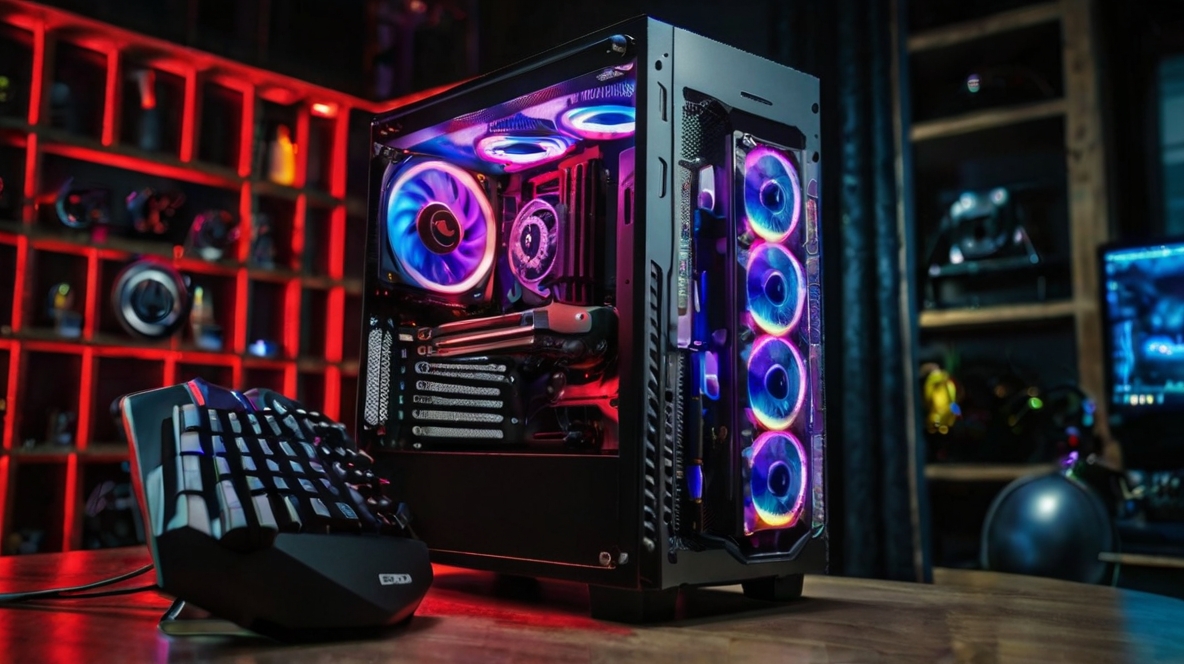
Building the ultimate gaming PC is a thrilling journey that combines technology, creativity, and a passion for gaming. Whether you’re a seasoned builder or a newbie, this guide will walk you through the steps to create an unbeatable gaming setup that will have you conquering virtual worlds in no time. From selecting the right components to assembling your rig, we’ve got you covered.
1. Setting Your Budget
Before diving into the specifics of your ultimate gaming PC, it’s crucial to determine your budget. A high-end build can range anywhere from $1,500 to $5,000, depending on the components you choose. Setting a clear budget will help you make informed decisions about where to allocate your funds.
2. Choosing the Right Components
Processor (CPU)
The CPU is the brain of your gaming PC. For an ultimate gaming setup, you’ll want a high-performance CPU. The Intel Core i9 and AMD Ryzen 9 series are excellent choices, offering exceptional processing power for gaming and multitasking.
Graphics Card (GPU)
The GPU is the heart of your gaming experience, rendering stunning visuals and ensuring smooth gameplay. Top-tier options include the NVIDIA GeForce RTX 3080/3090 and AMD Radeon RX 6800 XT. These cards support high resolutions and refresh rates, making them ideal for an ultimate gaming setup.
Memory (RAM)
For a gaming PC, 16GB of RAM is the minimum, but 32GB is recommended for an ultimate gaming setup. Higher RAM allows for better performance, especially when running multiple applications or games simultaneously.
Storage
A combination of SSD (Solid State Drive) and HDD (Hard Disk Drive) is ideal. Use an SSD for your operating system and frequently played games to reduce load times, and an HDD for mass storage. Aim for at least a 1TB SSD and a 2TB HDD.
Motherboard
The motherboard is the backbone of your gaming PC, connecting all the components. Ensure it supports your CPU, has multiple slots for RAM, and enough ports for peripherals. Popular choices include the ASUS ROG Strix and MSI MPG series.
Power Supply (PSU)
A reliable PSU is essential to power your gaming PC. Calculate your power needs and opt for a PSU with a bit more wattage than required. A 750W PSU is typically sufficient for most high-end builds.
Cooling System
Keeping your gaming PC cool is vital for optimal performance. Invest in a quality cooling system, such as liquid cooling or high-performance air coolers. Brands like Noctua and Corsair offer excellent cooling solutions.
Case
Choose a case that fits all your components comfortably and provides good airflow. A mid-tower or full-tower case from brands like NZXT, Corsair, or Fractal Design will offer plenty of space and cooling options.
3. Assembling Your Gaming PC
Preparation
- Workspace: Ensure you have a clean, static-free workspace.
- Tools: A Phillips-head screwdriver, zip ties, and an anti-static wrist strap.
Step-by-Step Assembly
- Install the CPU: Carefully place the CPU into the motherboard socket and secure it.
- Attach the RAM: Insert the RAM sticks into the appropriate slots.
- Mount the Motherboard: Secure the motherboard inside the case.
- Install the GPU: Insert the GPU into the PCIe slot on the motherboard.
- Attach Storage: Mount the SSD and HDD in their respective slots.
- Connect the PSU: Secure the PSU in the case and connect all necessary power cables.
- Install Cooling: Attach your cooling system according to the manufacturer’s instructions.
- Cable Management: Organize and secure all cables using zip ties for a clean build.
4. Installing the Operating System and Drivers
Once your gaming PC is assembled, install your operating system (OS). Windows 10/11 is the most popular choice for gaming. After installing the OS, update all drivers, including those for the motherboard, GPU, and peripherals. This ensures optimal performance and compatibility.
5. Optimizing Your Gaming Setup
Monitor
Invest in a high-resolution monitor with a high refresh rate (144Hz or higher) to complement your powerful gaming PC. Brands like ASUS, Acer, and Dell offer excellent gaming monitors.
Peripherals
- Keyboard: Mechanical keyboards are preferred for gaming due to their responsiveness.
- Mouse: A high-DPI gaming mouse will improve precision.
- Headset: A good gaming headset enhances the immersive experience.
Software
Install essential software, including game launchers, performance monitoring tools, and security software. Customize your gaming PC with RGB lighting software for a visually stunning setup.
6. Maintenance and Upgrades
Regularly clean your gaming PC to prevent dust buildup, which can affect performance. Keep your drivers and software updated. As new technologies emerge, consider upgrading components like the GPU or adding more RAM to keep your ultimate gaming setup at peak performance.